PROJECT BACKGROUND
UserTesting.com works with a variety of companies including eBay, Facebook, Twitter and Airbnb to test usability and design assumptions. With the UserTesting SDK, there is no developer set up needed and anyone can order a test through the online portal to get a video of a real-world tester in minutes. UserTesting is the world’s most popular user research platform and tool, currently valued at significantly more than $100 million. As the lead designer working with a PM and a team of developers I led the effort to develop an interaction model, branding and overall UI/UX that allows for mobile testing.
SKILLS
UI / UX
Prototyping
User Testing & Analysis
Motion Graphics
Illustration
Project Challenges
- SWITCHING FROM THE TEST PANEL TO APP: Create an interaction model that allows users to toggle between the test panel and the app that is obvious for non-tech-savvy users to find without detracting from the experience.
- EDUCATE USERS ABOUT HOW TO TAKE A TEST: Create an onboarding experience that educates the tester how to properly take a test and set their “Do Not Disturb” settings so that the test is valid and conclusive.
- TEST PANEL: Create a variety of questions and tasks that serve as tools for researchers to gather useful data and are easy for the tester to interact with.
Interaction Ideation & Research
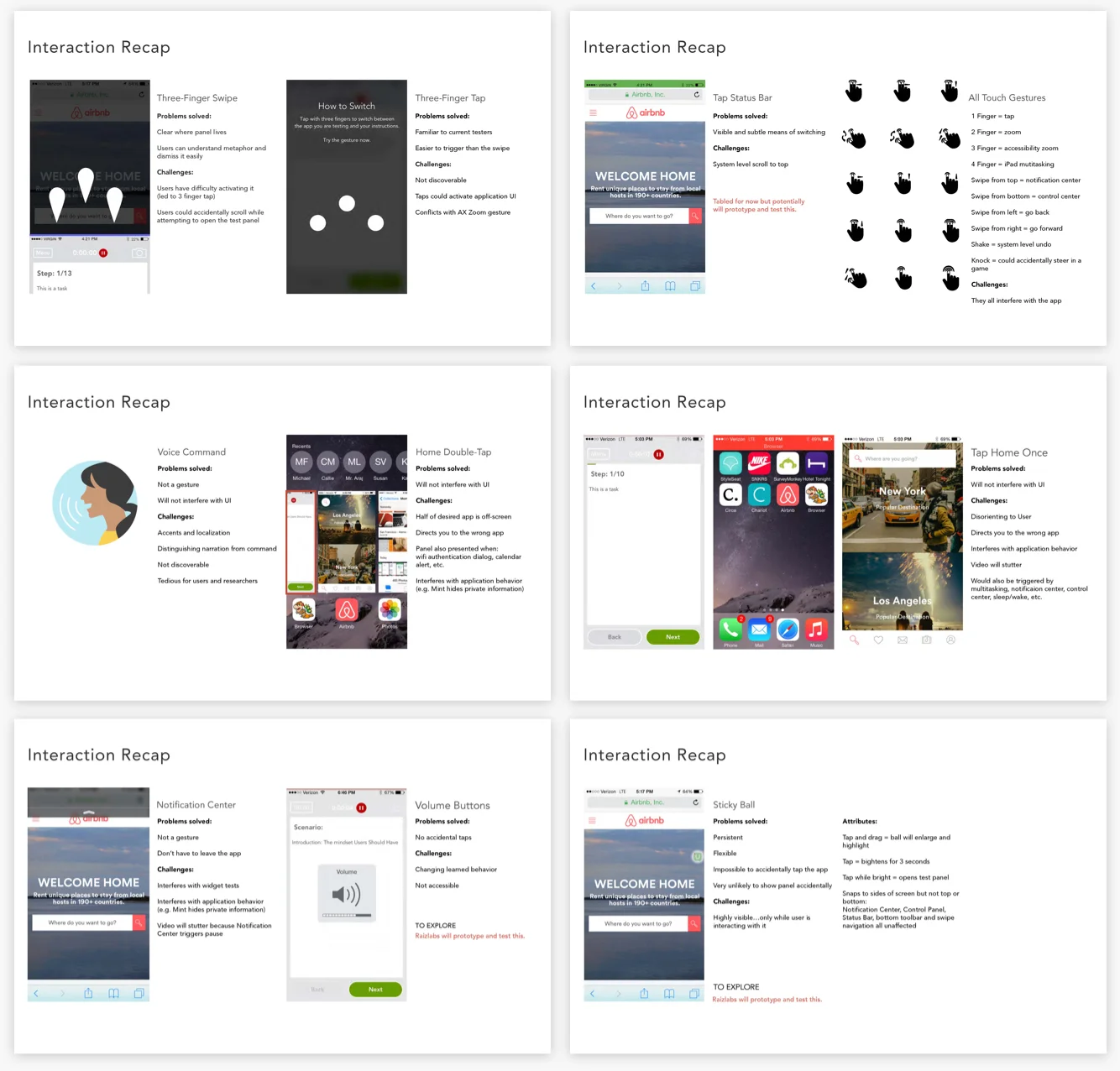
I put together an exploration of every possible interaction to switch between the test panel and an app being tested. Most were a) already being used at a system level b) possible gestures used by an app being tested or c) undiscoverable to the tester.
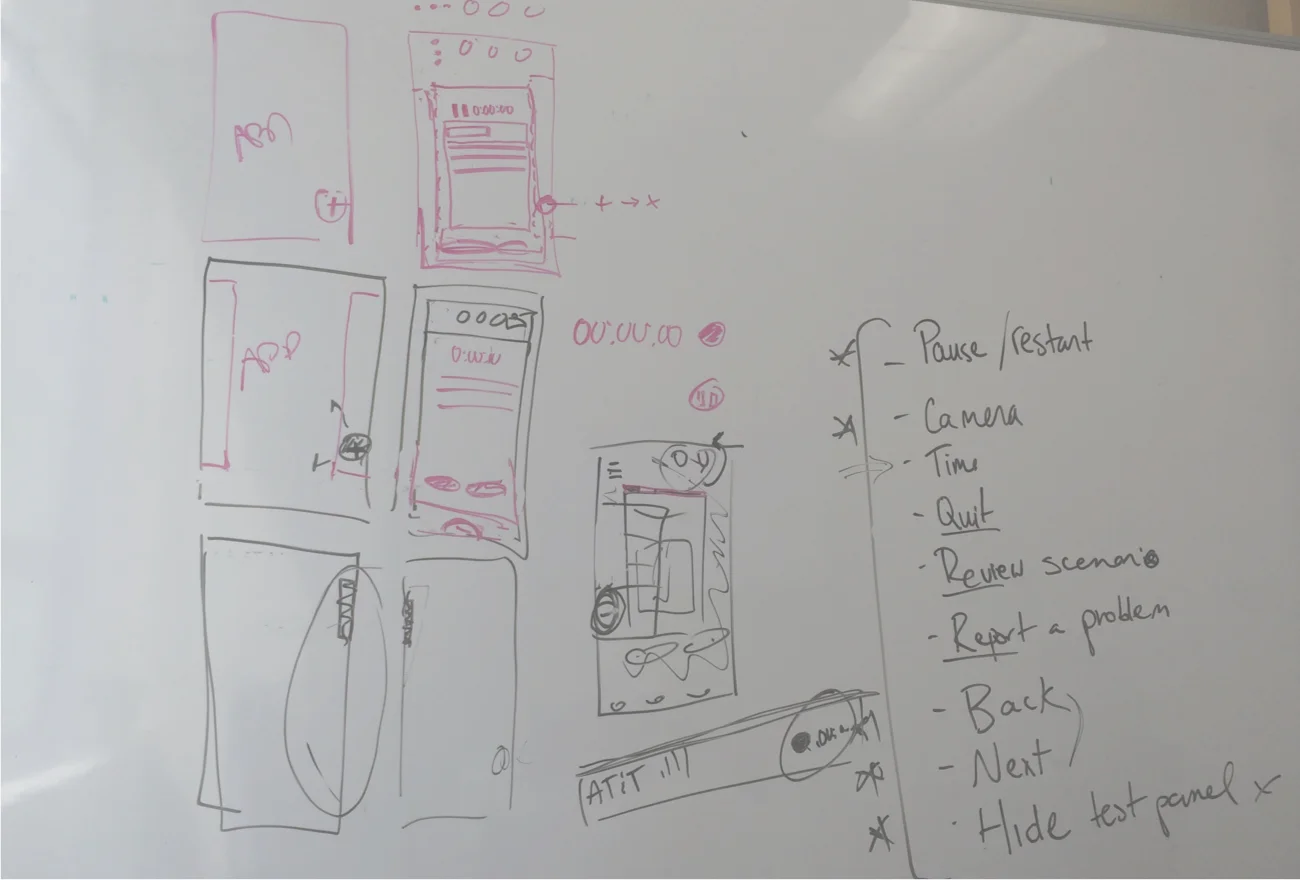
We landed on the “sticky ball”, similar to Apple’s accessibility ball. To define the sticky ball parameters, we made a list of everything that needs to happen and edge cases. The ball sticks to the sides of the screen, can be moved with a press and hold gesture, and dims when not being used so as not to distract the tester.
SOLUTION
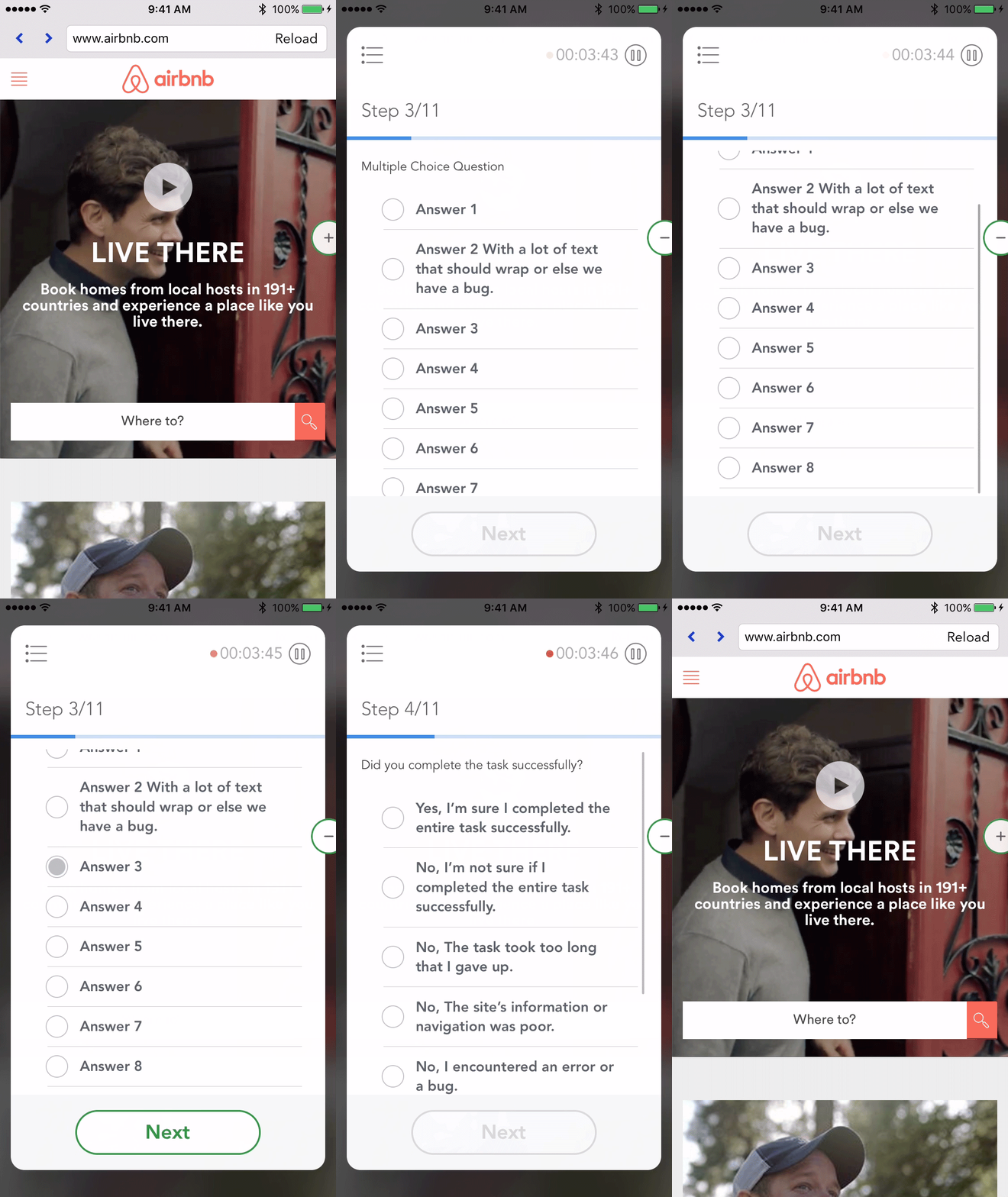
This is a clip from the final prototype we created. You can see the icon on the ball changes depending on the state of the test panel. There is a size and opacity change when the user taps on the ball and a smooth animation of the card into and out of the ball. Not featured here, the user can drag and move the ball if it is interfering with the app they are testing.
Onboarding
If a user does not understand how to set their "Do Not Disturb" settings, the test could be void thus costing UserTesting, their client, and the tester time and money. We tested and decided on an extensive series of animations and illustrations to educate the user about how to prepare for the test, enable the proper settings, and use the sticky ball.
Testing Panel
We utilized a card element for the test panel and created different UI controls for the various question types including: verbal response, multiple choice, rating scale, and written response. The card clearly displays the time, progress and how to move forwards in the flow. The "Next" button is not active until after the user has responded to a question so that they complete the test in the intended order.
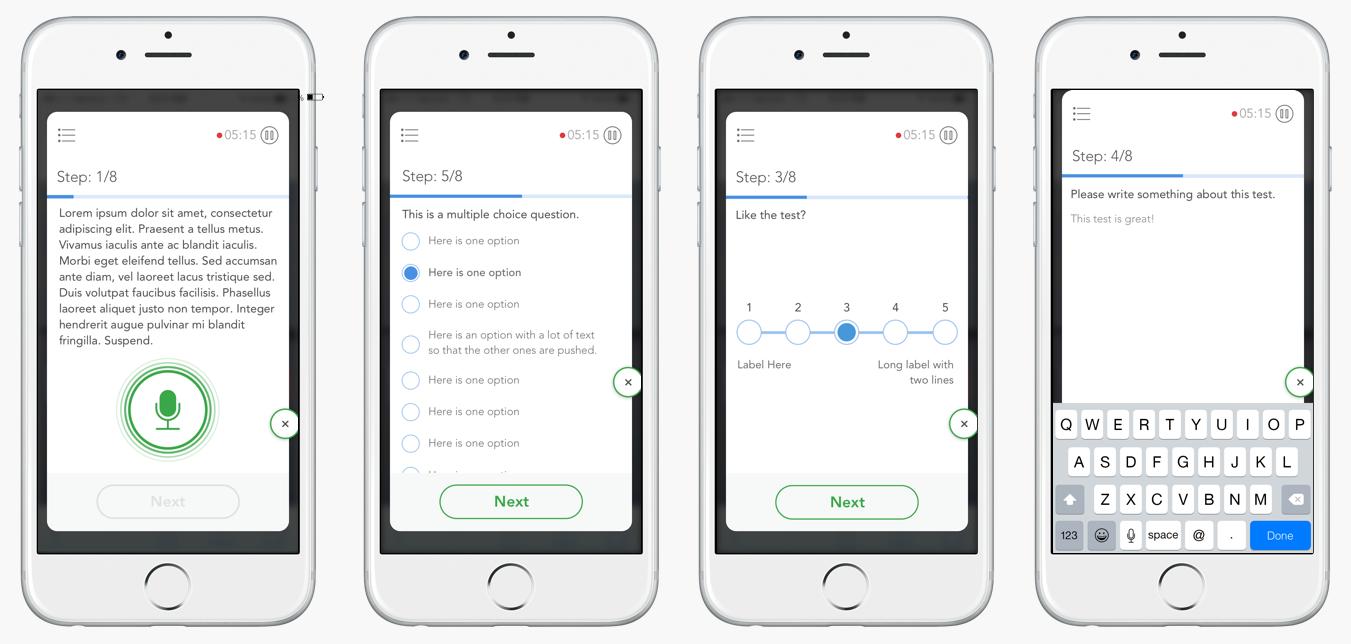
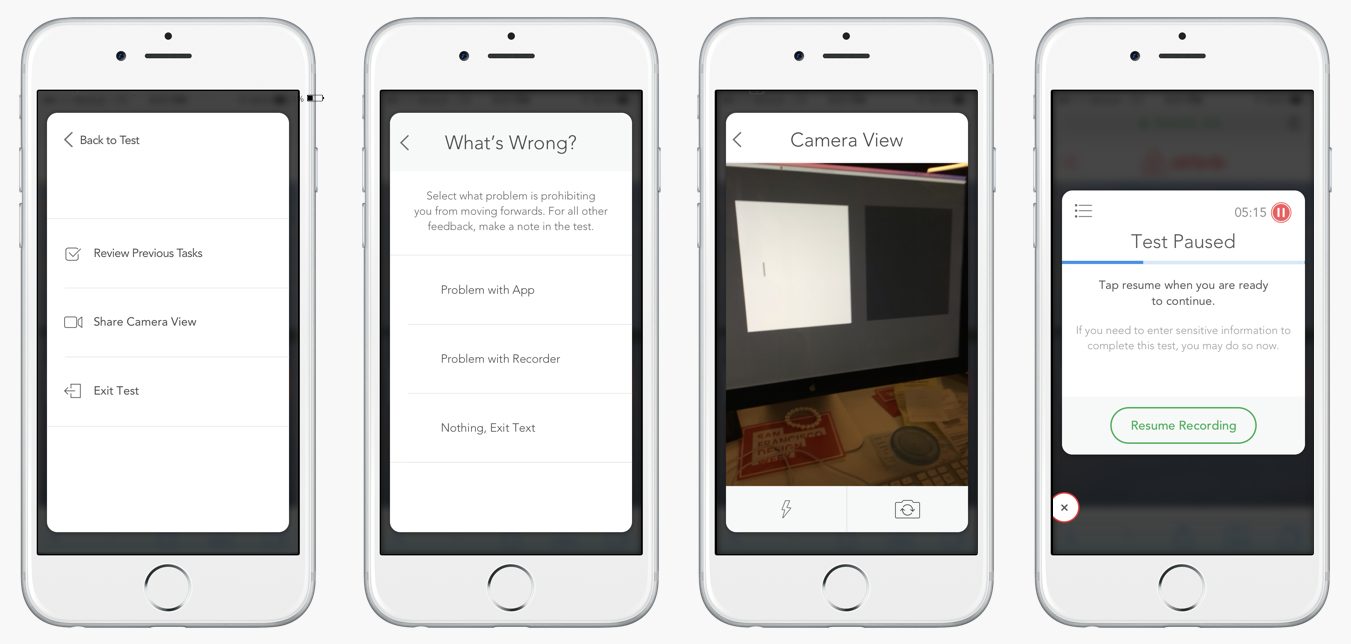
We nested secondary experiences in the menu icon. Only if absolutely necessary do we want the user to see past tasks, exit, or report a problem. Because we do not want the user to accidentally pause the test unless instructed, we made the paused state very overt and informative.